November 2, 2026
8-minute read

What Is a Review API, and How Do Platforms Use It?

A review API is an interface that lets software read, act on or collect customer reviews in code, instead of a person logging in to each review site. Some review APIs connect to one site, such as Google. Others pull many sites into one standard format and add actions like posting replies, sending review requests and flagging reviews that break a site's rules.

Platforms use review APIs to show reviews inside their own product, alert users to new feedback, reply from one inbox, ask customers for reviews at the right moment and run their own verified review programs.

What a review API does

Every review API answers one or more of four jobs:

  • Read: get reviews and ratings for a business location, with fields like reviewer, rating, text, date and any owner response.
  • Respond: write a reply and post it back to the review site.
  • Collect: ask customers for reviews by email, SMS or QR code, or capture reviews inside your own product.
  • Protect: request removal of reviews that break a site's content policy, and track the outcome.

Reading is the usual starting point. The other jobs need more permissions, so treat them as separate requirements.

Types of review APIs

1. Review site APIs (one source each)

The big review sites publish their own developer APIs. They are the official source, but each one has its own access rules, data limits and display terms. Google, for example, offers two:

  • Google Business Profile API. Google's review data guide says the API can list all reviews of a location, get a single review, reply to a review and delete a reply. It works through OAuth for profiles you are authorized to manage, and Google requires an access request first. Its prerequisites page asks applicants to manage a profile that has been verified and active for 60+ days, with a website listed on it.
  • Google Places API. Places is for looking up public information about any place. Google's Place reference says a maximum of 5 reviews can be returned, sorted by relevance. The Places API policies require you to credit review authors, show Google Maps attribution, and not cache Places content beyond the allowed exceptions.

Site APIs fit when you need one source and can meet its terms. They get harder to manage with each source you add.

2. Review aggregator APIs (many sources, one format)

An aggregator connects to many review sites and returns every review in the same structure. Your team writes one integration instead of one per site. The key questions are which sites are covered, how often data refreshes, and whether the provider tells you when reviews change or disappear. Review sites' own display and attribution rules can still apply to what you show your users, so ask each provider how they handle them.

3. Review response and posting APIs

These APIs let your users reply to reviews without leaving your product. Some also draft replies with AI, then post the approved text back to the review site. Posting always needs the business owner's permission on each site, and not every site accepts replies through an API.

4. Review solicitation APIs

Solicitation APIs send review requests by email, SMS or QR code, often triggered by an event in your platform such as a completed job or a purchase. They usually include templates, follow-ups and reporting. Review requests come with rules from review sites and regulators, which we cover in our guide to review solicitation compliance.

5. Review removal APIs

Removal APIs submit a request to the review site to take down a review that appears to break its content policy, such as a fake, abusive or off-topic review. Only the review site can remove a review. A good removal API uses each site's own policy reasons and tracks every request to a decision. If you report on removals, read who actually removed that review, since sites also take reviews down on their own.

6. First-party and verified review APIs

First-party review APIs let a platform collect and publish reviews inside its own product instead of sending customers to a third-party site. The hard parts are deciding who is eligible to review, verifying that the reviewer is a real customer, and moderating content fairly.

How platforms use review APIs

Marketplaces

A marketplace connects buyers with providers, so reviews shape who gets booked. Marketplaces use review APIs to show providers' Google and Facebook ratings on profile pages, to run first-party reviews tied to real bookings or completed jobs, and to moderate reviews against a clear content policy.

SaaS platforms

Vertical software for restaurants, home services, healthcare, auto dealers and similar industries often adds reviews as a feature. Common uses: an in-product review inbox, new-review alerts, AI-drafted replies, review requests after a job closes, and rating and sentiment reports.

Franchisors and multi-location brands

A franchisor needs the same view across every location. Review APIs feed one reporting view or data warehouse, compare locations and keep reply tone consistent. For Google-specific setup, see managing Google Business Profile for multiple locations.

White-label resellers

Resellers sell review features to their own clients under their own brand. They need an API that supports branding on connection pages and emails, account hierarchies for many clients, and per-location pricing they can mark up.

Review API evaluation checklist

Use this list when you compare providers, or when you decide whether to build on site APIs directly.

  1. Coverage. List the review sites your customers actually check, by industry. Confirm each one, and confirm what "supported" means for it: reading, replying, requesting or removal. Our list of 36 review platforms by industry is a useful starting point.
  2. Data freshness. Ask how often each site is refreshed, how fast the first pull runs, and how edits and deleted reviews are detected.
  3. Normalized schema. Every review should arrive in the same shape, with stable IDs, so you can build once and add sources later.
  4. Webhooks. Polling works, but events for new, updated and deleted reviews make alerts possible. Check retry behavior and how you recover missed events.
  5. Rate limits. Get the limits in writing per endpoint, and check what happens when you hit one (for example, a 429 response with a Retry-After header).
  6. Terms and attribution. Site APIs have display, caching and attribution rules. Make sure your product design can follow them for every source you show.
  7. Response posting support. Ask which sites accept posted replies, how business owners grant permission, and how you learn whether a reply actually went live.
  8. Pricing model. Compare per-location, per-request and usage-based pricing against your expected number of locations and how often you pull data.

Build or buy?

Building directly on site APIs can make sense when you need one or two sources, the workflow is central to your product, and your team can own the maintenance. Every extra source adds its own auth flow, data shape, policy and change log, and the work does not end at launch.

A provider makes sense when you need broad coverage, several workflows (read, reply, request, remove) and a small team that should stay focused on your core product. Either way, you still own permissions, user-facing status and support. We go through the five scoping decisions in before you build review integrations.

For platforms: how the Shout About Us APIs map to each type

Shout About Us is the review management API for marketplaces and platforms. Here is how each API lines up with the types above, plus analysis on top.

  • Review Data API (aggregator). Reviews and ratings from Google, Yelp, Facebook and 80+ sites, in one format: reviewer, site, date, rating, text and owner response. Reviews are collected on your plan's schedule, and webhooks tell your platform when a review is collected, updated or deleted (once it is detected), either immediately or in batches every 1 to 12 hours. See the Review Data API and the full list of review sites.
  • Review Insights API (analysis). AI insight reports on a location's reviews with themes, praise, complaints and suggested actions, plus ratings and sentiment over time and comparisons with nearby competitors. See the Review Data and Insights API.
  • Review Response API (response and posting). AI-drafted replies that follow each location's tone and instructions, posted to Google, Facebook and other supported sites. Each review shows whether posting is available for it. Business owners give permission once through a white-labeled connection page, and one invite covers every site on the location. See the Review Response API.
  • Review Solicitation API (solicitation). Email, SMS, QR code and in-store review requests triggered by events in your platform, with branded templates, follow-ups and request analytics. See the Review Solicitation API.
  • Review Removal API (removal). Removal requests that use each site's own policy reasons, with status tracking and webhooks for every change. Removal requests work on every review site we support. The review site makes the final decision. See the Review Removal API.
  • Verified Reviews API (first-party, approved partners). Available to approved partners: collect, verify, moderate and publish first-party reviews inside your own product. Our verification team checks reviews against the standard you set, such as booking or job records, and our moderation team reviews content against your policy. Ask us about access, or see Verified Reviews.

Under the hood, it is plain JSON REST with bearer-token auth, pagination and webhooks, documented at docs.shoutaboutus.com. The review feed allows 300 requests per minute per user, and a 429 response comes with a Retry-After header. Pricing is $0.50 to $3.00 per location per month plus usage for the APIs you use, with a free 14-day trial.

FAQ

What is a review API in simple terms?

It is a way for software to get, reply to, request or manage customer reviews automatically. Your product makes API calls instead of a person logging in to each site.

Can I get all of a business's Google reviews through an API?

The Google Places API returns a maximum of 5 reviews per place. The Google Business Profile API can list all reviews of a location, but only for profiles you are authorized to manage, and Google requires an access request. Review aggregators are another route for platforms that serve many businesses.

Do I need the business owner's permission to use a review API?

It depends on the action. With the Shout About Us Review Data API, reading reviews needs only the location's review site URL. Posting replies needs the business owner's permission on each site. Site APIs like Google Business Profile require OAuth access to the profile.

What is the difference between a review API and review management software?

Review management software is an app that people log in to. A review API is the layer underneath, so you can build review features into your own product under your own brand.

How much does a review API cost?

Pricing models vary: per location, per request or by plan, and site APIs have their own terms. Shout About Us charges $0.50 to $3.00 per location per month plus usage, and review-data-only setups start at the low end of that range. See pricing for details.

Add review data to your platform

If you are scoping review features for a marketplace or platform, start with the Review Data API and test it on your own locations. Request an API key to try it, or book a demo to talk through coverage and pricing.

Emily Homrok

Emily Homrok is a freelance copywriter with more than seven years of writing experience. She joined the Shout About Us team as a content strategist in 2020.

SHARE THIS ARTICLE:

Frequently asked questions

No items found.
All
Best Practices
Verified reviews for marketplaces: first-party vs third-party, Verified Reviews API
November 3, 2026
9-minute read
Verified Reviews for Marketplaces: First-Party vs Third-Party

First-party vs third-party reviews, what verified should mean, moderation policy, the FTC review rule and Google review snippet limits.

Emily Homrok
All
Best Practices
How much does a review management API cost? Pricing guide from Shout About Us
October 13, 2026
7-minute read
How Much Does a Review Management API Cost?

Pricing models, cost drivers and build-vs-buy for platforms, plus Shout About Us pricing: $0.50 to $3.00 per location per month plus usage.

Emily Homrok
All
Best Practices
October 5, 2026
5-minute read
Who Actually Removed That Review?

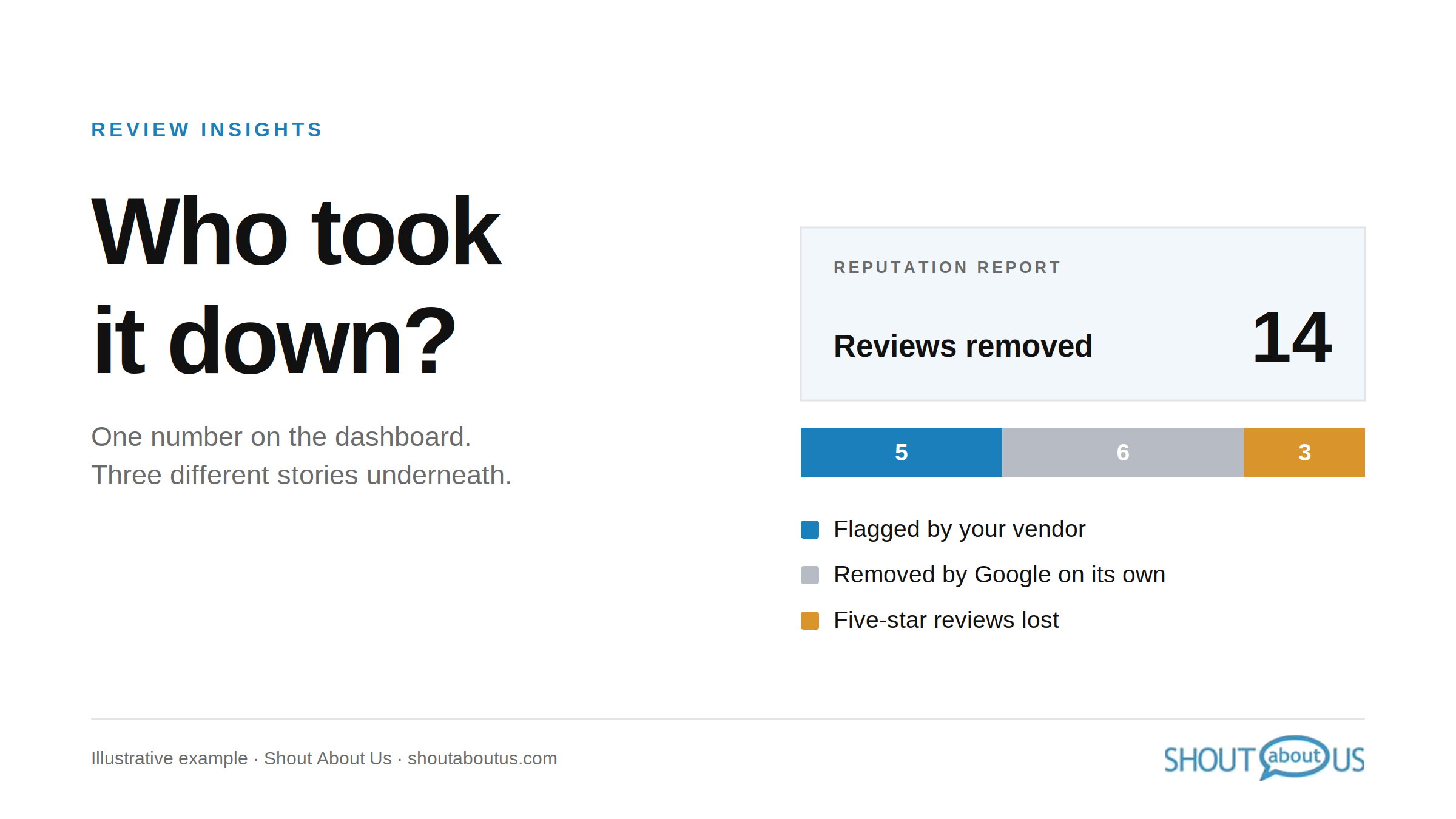
Google removes reviews with or without a flag. If your reports count every disappearance as a win, you can't tell what your removal process did.

Cobi Emery

Add review management to your platform in days

Book a call to explore the API, see white-label demos, and get custom pricing.