


“Can we show reviews inside our dashboard?”
It sounds like a contained product request. Connect a source, retrieve the reviews and display them next to a business profile.
But a review feed can become the starting point for a much broader workflow: responding, collecting new feedback, monitoring multiple locations and helping customers understand what needs attention.
Before estimating the engineering work, define five things: which sources matter, what users need to do, how fresh the data must be, how failures will be handled and who owns the integration after launch.
Those decisions give a platform team a more useful scope than a list of endpoints.
Start with the customers and verticals you serve. Ask where their reviews live today and which sources matter to the next segment you want to enter.
A broad source count is less useful than a clear view of the coverage your users need. A platform might support several general-purpose sources and still miss the specialist site its customers check every morning.
Create a coverage matrix with one row per required source. Record:
Treat support as something to validate for a particular use case. Retrieving reviews, publishing responses and collecting new reviews are separate requirements; confirming one does not establish the others.
Decision to document: A prioritized source list with an explicit definition of what “supported” means for each source.
Displaying feedback is one workflow. Responding to it is another. Sending a review invitation creates a third.
For a read-only experience, decide which fields users need, how reviews map to businesses and locations, and whether edits or removals must be reflected in the product. Removals need extra care in reporting, because Google takes reviews down on its own as well as in response to flags. We cover that in Who Actually Removed That Review?
For responses, define who can draft, approve and submit them. Decide how a regional manager’s permissions differ from those of a location-level user. Consider what happens if someone changes a response directly on the originating site.
For collection, distinguish invitations to external review sites from feedback collected within your own platform. First-party feedback introduces its own product decisions: reviewer eligibility, verification, moderation and display. Invitations also come with rules from the review sites and from regulators, which we cover in If You Send Review Requests, You Need to Know the Rules.
Avoid bundling all of those workflows into a single requirement called “review management.” A narrow launch can be sensible, provided the boundary is deliberate.
Decision to document: A launch scope that specifies the actions, permissions and exclusions, not just the screens.
Freshness should follow the user’s job.
A monthly performance report may tolerate a different update interval from a support workflow that alerts a manager to a new complaint. An initial historical import is also a different workload from keeping an existing account current.
Separate three timestamps in your requirements: when something happened on the review source, when your integration observed it and when it became available to your user. These help you explain delays without implying that every update is instantaneous.
Define the refresh expectations for new reviews, edited reviews and responses. Then consider how the product should behave when an update is late: show the last successful refresh, flag stale data or temporarily suppress a time-sensitive alert.
Delivery method is another choice. Ask whether the integration supports polling, event notifications or a combination, and how you will recover missed updates. An event notification alone does not establish the freshness of the underlying source data.
Decision to document: A freshness target for each workflow, plus visible behavior when that target is missed.
Design the unsuccessful path before promising a successful one.
For example, your application accepting a response submission does not, by itself, prove that the response is visible on the originating review site. Your product needs to communicate what it actually knows.
A useful conceptual model distinguishes a received request, work in progress, confirmed publication where verification is available, and an action that needs attention.
Ask practical questions:
The goal is a workflow that stays understandable when the happy path breaks. Failure handling belongs in the product specification, not only in an engineering backlog.
Decision to document: A failure-handling plan covering status, retries, customer messaging and escalation.
Assign an owner for the work that continues after the feature ships: monitoring, connection issues, source changes, support investigations and expansion into additional sources.
This is where build-versus-buy becomes a practical decision.
Building internally can make sense when the scope is narrow, the workflow is strategically distinctive and the team is prepared to maintain it. Working with a specialist can make sense when broad connectivity and ongoing integration operations would otherwise compete with the core roadmap.
Neither approach removes the platform’s responsibility for its customer experience. Even with an API provider, you still need clear ownership of permissions, user-facing status, product behavior and customer communication.
For an internal build, name the team and allocate maintenance capacity. For a provider, establish responsibilities for incidents, source-level limitations, support escalation, data handling and exit or migration requirements.
Decision to document: An ownership agreement that names who handles each recurring responsibility.
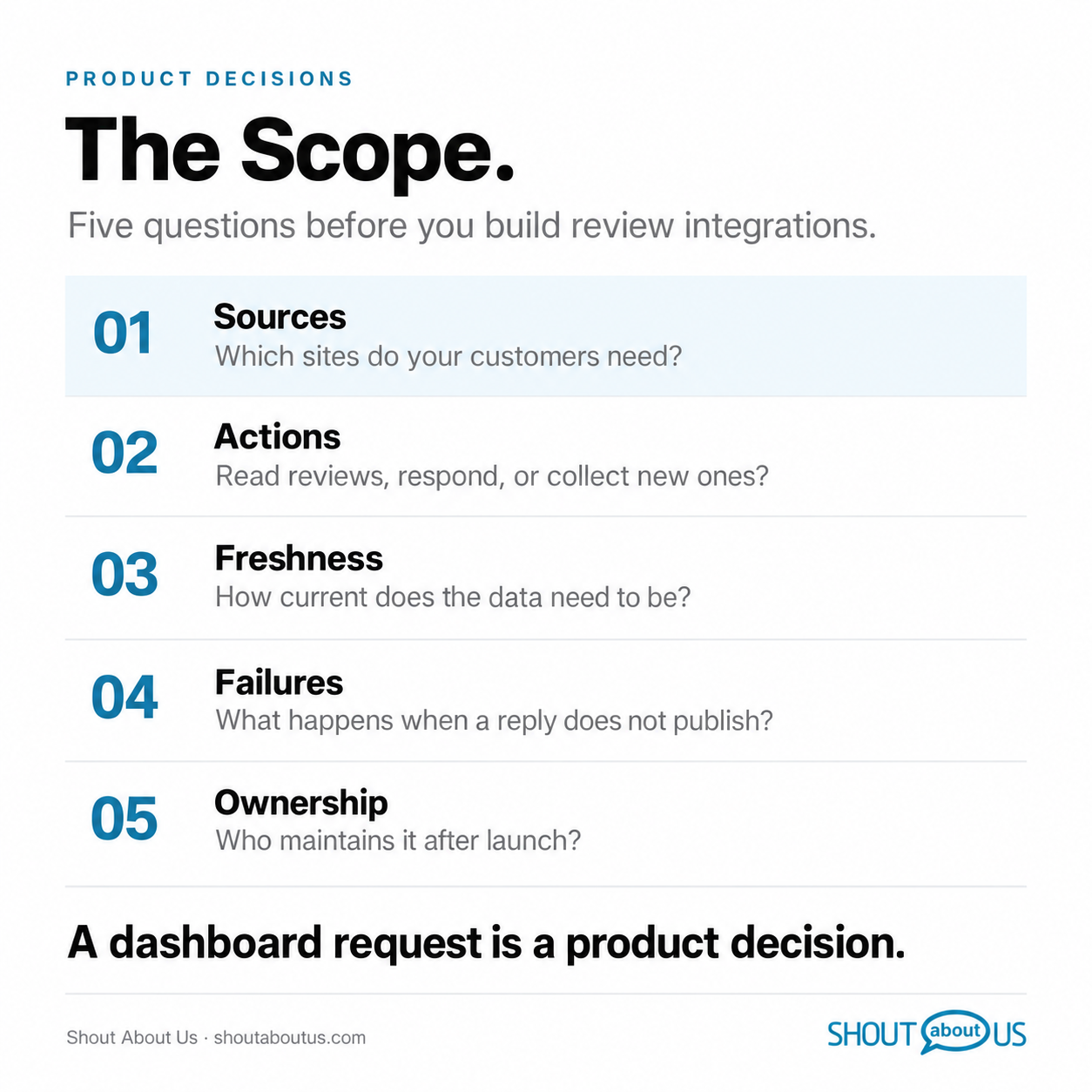
Before committing to an implementation, write down:
Then use that same scope to compare an internal build with API providers. Test the workflows that matter most with a representative set of profiles, including unsuccessful actions and interrupted connections.
A review feed can be a useful first release. Defining these five decisions helps you launch it with a clear understanding of what comes next.
Pulling reviews is read-only: you retrieve reviews and ratings from a source and show them in your product. Posting a response writes back to the review site, which needs authorization for each business profile and a way to confirm the reply actually appeared. Treat them as separate requirements for every source.
The ones your current customers check every day. For most local businesses that means Google, Facebook and Yelp, plus the leading site in each vertical you serve, such as Tripadvisor for hotels or Healthgrades for doctors. Our list of 36 review platforms by industry is a useful starting point.
Build when the scope is narrow and the workflow is central to your product. Use a provider when you need broad coverage and ongoing integration work would compete with your roadmap. Either way, you still own permissions, status and customer communication. Our guide to choosing a review management vendor lists the questions to ask.
Shout About Us is the review management API for marketplaces and platforms. The Review Data API pulls reviews from Google, Yelp, Facebook and 80+ sites in one normalized format, and the Review Response API drafts replies with AI and posts them back to the source site. Bring your required sources, user workflows and expected volume to the conversation so we can evaluate the fit against your actual scope.

The review management API
for marketplaces & platforms


